


 English
 Translate
Using as DAPLink
Update history
| Date | Version | Author | Update content |
|---|---|---|---|
| 2026-08-12 | v0.2 | Sipeed |
|
| 2023-07-26 | v0.1 | ctx |
|
SLogic Combo 8 features high-speed DAP-Link functionality, suitable for various common chips, especially for debugging STM32 chips using IDE on Windows.
Enable DAPLink Functionality
Press the toggle button to switch the indicator light to green.
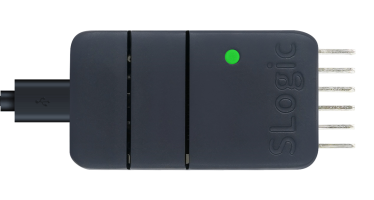
To verify if DAPLink functionality is enabled:
Open the device manager in Windows environment, and use the lsusb command in Linux environment to find the "RV CMSIS-DAP" device
Getting Started
Here's a step-by-step guide on using the STM32F103C8T6 chip with Windows MDK IDE as an example:
Pin sequence
CKLink and DAPLink have similar pin connections, so they are shown together in one diagram. Please ignore the 'CK' label.
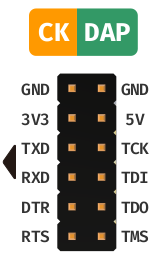
In DAPLink mode, it can simultaneously support one DAPLink interface and one UART interface.
The pins on the left side of the diagram (TXD, RXD) carry UART data. The latest firmware also outputs the CDC DTR and RTS control signals.
The pins on the right side of the diagram (TCK, TDI, TDO, TMS) are used for DAPLink debugging.
slogic_combo8_pack_202608121500.bin fixes DAPLink serial instability and improves sustained high-speed transfers, serial-setting changes, and recovery after USB reconnection. If data is lost, unexpected echoes appear, or the serial bridge stops transferring, update to this release or a newer one.
Connecting DAPLink using MDK
- Set the Reset Options to SYSRESETREQ.
- In CMSIS-DAP, locate and select the RV CMSIS-DAP device.
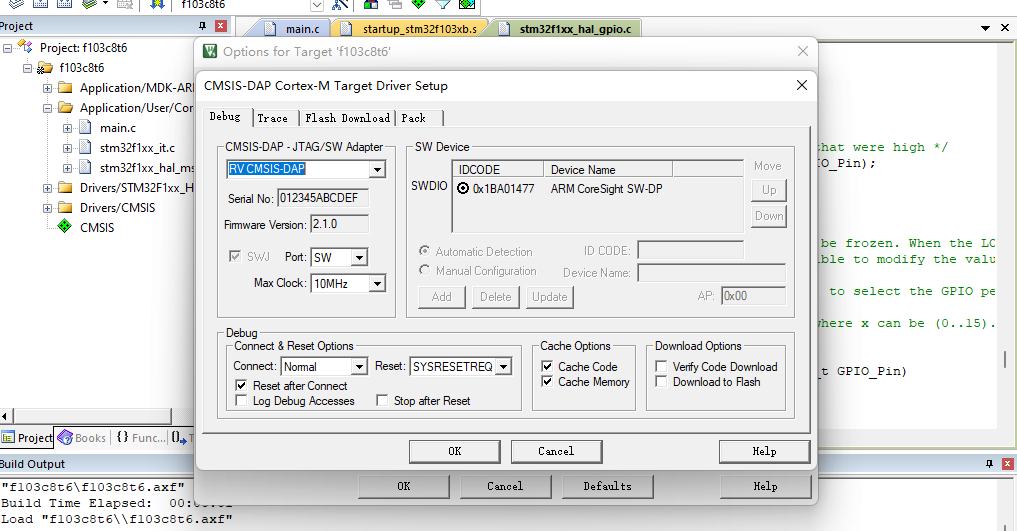
Download the firmware using MDK:
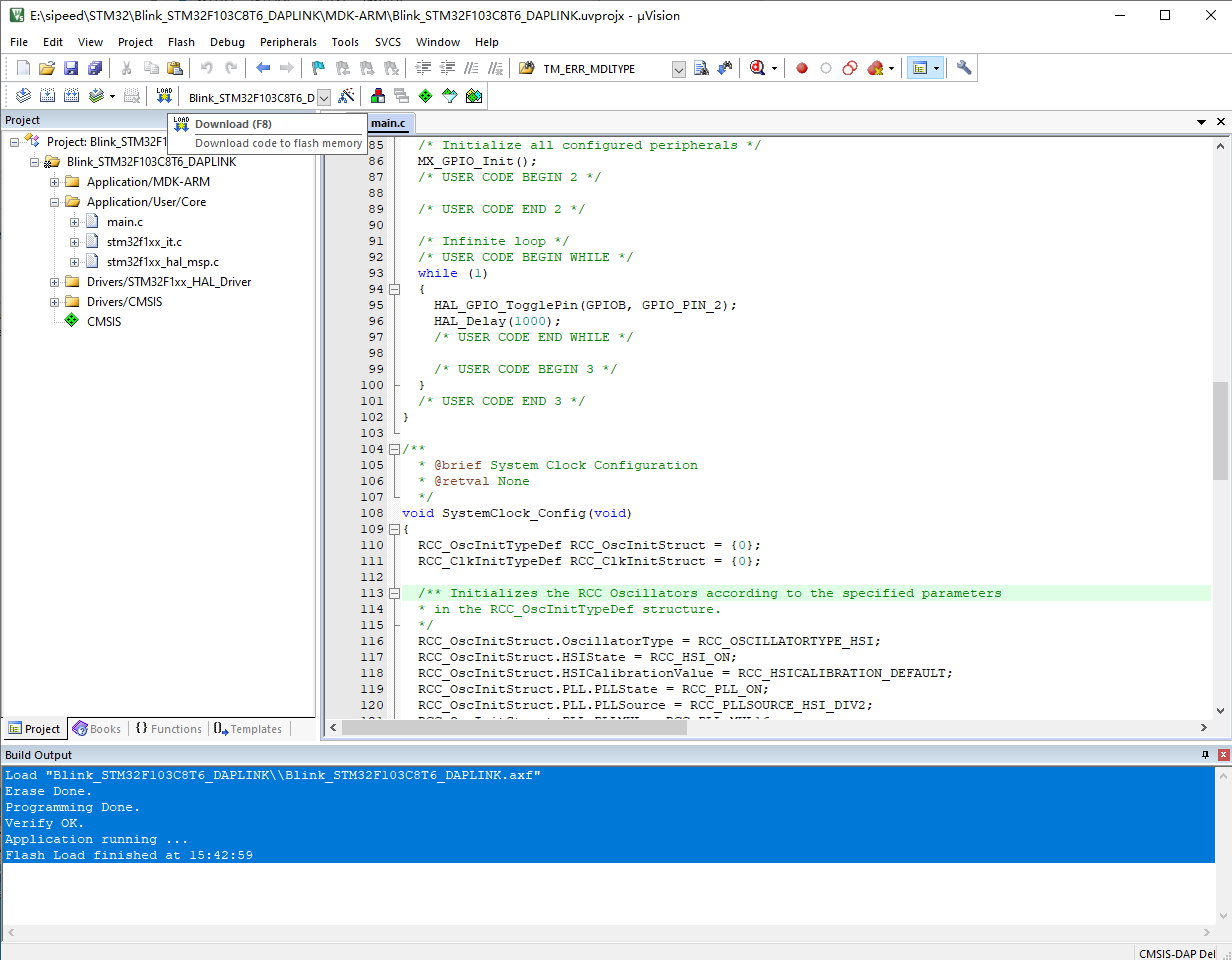
Debug the firmware using MDK:
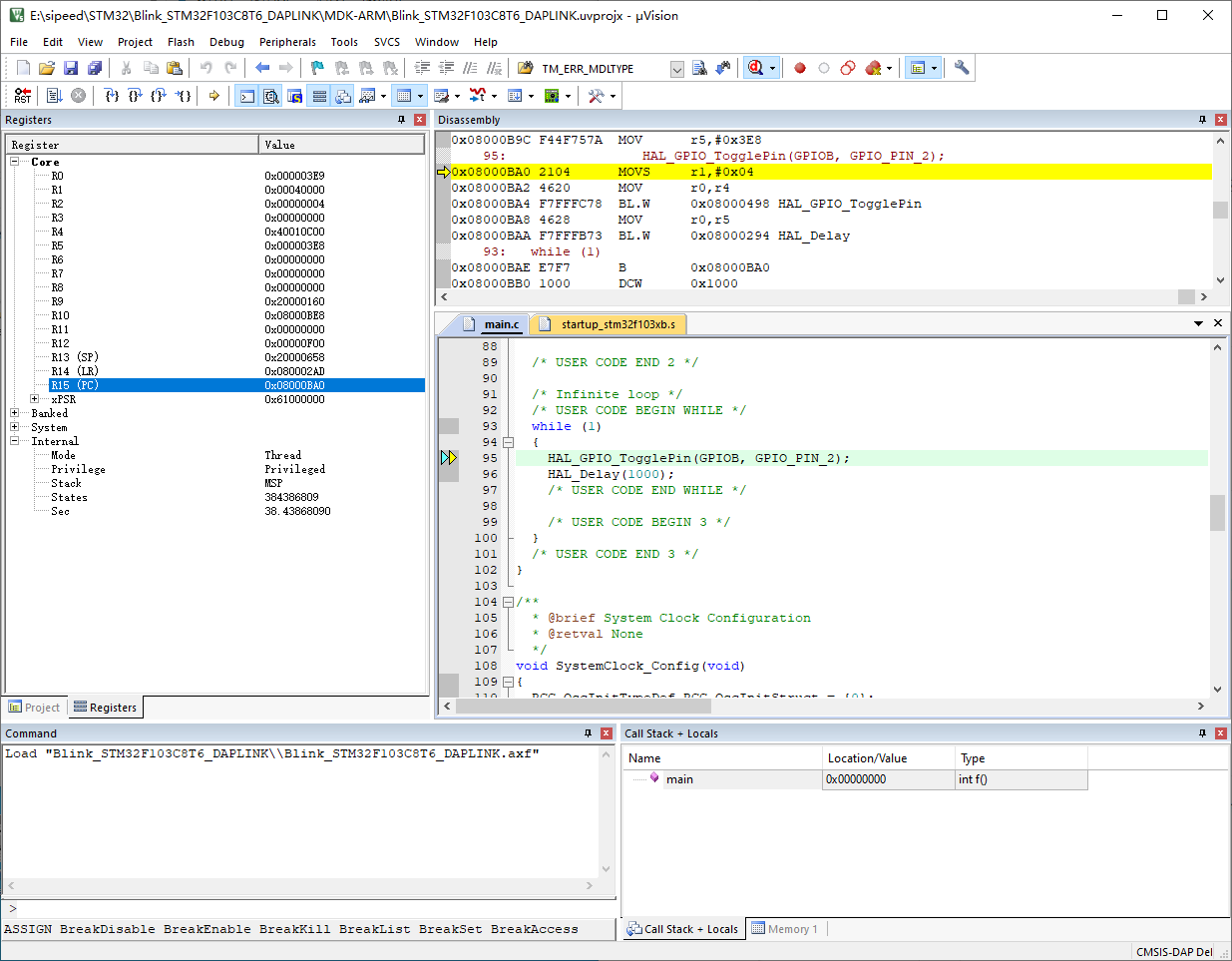
Thank you for the document contribution from 'dragonforward'.